LocationIQ Integration with AIMMS


The legacy AIMMS function GeoFindCoordinates is constrained by its reliance on Nominatim. Nominatim enforces strict rate limits, typically permitting at most one GPS coordinate request per second, which can significantly impede performance for batch geocoding tasks.
To overcome these limitations, AIMMS applications can utilize external REST services. While this article features LocationIQ as the primary example, the implementation logic remains consistent across most modern geocoding providers.
Please download the example project to follow along this article.
Geocoding Service Selection
The choice of geocoding provider depends on data coverage requirements, pricing, and terms of service. We utilize LocationIQ for this demonstration due to its ease of setup, robust documentation, and generous free-tier rate limits.
Note
Since AIMMS handles HTTP requests generically via the Data Exchange library, you can adapt this approach for other services:
By using the AIMMS Data Exchange (DEX) Library, these services are accessed asynchronously, ensuring the user interface remains responsive during network operations.
Prerequisites and Configuration
Obtaining an Access Token
To authenticate with the LocationIQ API, you must obtain a unique Access Token. This token identifies your application and monitors usage limits. You can generate one at the LocationIQ Dashboard.

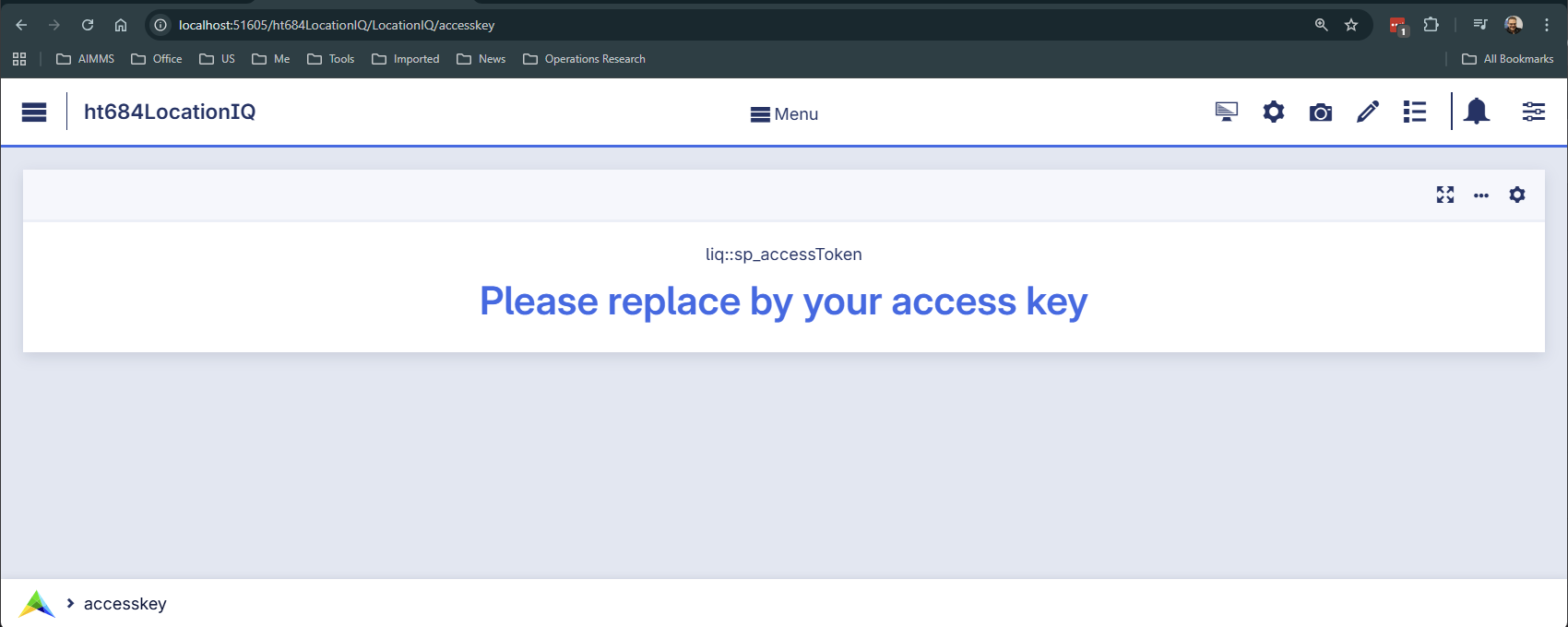
Specifying the Token in AIMMS
Once obtained, the token must be stored within your AIMMS application. In the provided
example project, the token is entered on the configuration page and stored in the
scalar parameter sp_accessToken.
In the enclosed AIMMS App, navigate to the page: liq::accesstoken.
Implementation Steps
The integration follows a three-step process: constructing the request, mapping the JSON response, and handling the result via a callback.
Constructing the API Request
The Geocoding endpoint (/v1/search) converts a human-readable address into geographic
coordinates (Latitude and Longitude). This process is known as forward geocoding.

The API call is constructed as a standard HTTP GET request. The URL must include the Access Token,
the query string (q), and the output format (format=json).
1_sp_url :=
2    formatString("https://%s.locationiq.com/v1/search?" , _sp_reg) +
3    formatString("key=%s&", sp_accessToken) +
4    formatString("q=%s&format=json&", _sp_query);
The request is executed using dex::client::NewRequest. We specify a response file
and an asynchronous callback (_ep_callback).
 1dex::client::NewRequest(
 2    theRequest    :  _sp_theRequest,
 3    url           :  _sp_url,
 4    callback      :  _ep_callback,
 5    httpMethod    :  'GET',
 6    requestFile   :  "",
 7    responseFile  :  sp_libfolder + "/data/getLocation.json",
 8    traceFile     :  "",
 9    requestOffset :  0,
10    requestSize   :  0);
11dex::client::AddRequestTag(_sp_theRequest, _sp_theRequest);
12dex::client::PerformRequest(_sp_theRequest);
The JSON Response Structure
The API returns a JSON array. Each object in the array represents a matching location with its latitude and longitude.
 1[
 2    {
 3        "boundingbox": [
 4            "53.0625606",
 5            "53.1235639",
 6            "4.7043896",
 7            "4.8031591"
 8        ],
 9        "class": "boundary",
10        "display_name": "De Koog, Texel, North Holland, Netherlands",
11        "icon": "https://locationiq.org/static/images/mapicons/poi_boundary_administrative.p.20.png",
12        "importance": 0.653932315897569,
13        "lat": "53.0998817",
14        "licence": "https://locationiq.com/attribution",
15        "lon": "4.7626457",
16        "osm_id": "2730421",
17        "osm_type": "relation",
18        "place_id": "157813526",
19        "type": "administrative"
20    },
21    { "...":"..." }
22]
Mapping JSON to AIMMS Identifiers
The AimmsJSONMapping instructs dex::ReadFromFile how to translate the JSON data.
The root array maps to the AIMMS index liq::i_result, and specific values are bound to liq::i_placeId, liq::p_Latitude, and liq::p_Longitude.
1<AimmsJSONMapping>
2    <ArrayMapping>
3        <ObjectMapping iterative-binds-to="liq::i_result">
4            <ValueMapping name="place_id" binds-to="liq::i_placeId"/>
5            <ValueMapping name="lat" maps-to="liq::p_Latitude(liq::i_result,liq::i_placeId)"/>
6            <ValueMapping name="lon" maps-to="liq::p_Longitude(liq::i_result,liq::i_placeId)"/>
7        </ObjectMapping>
8    </ArrayMapping>
9</AimmsJSONMapping>
The Callback Procedure
The callback procedure, specified via _ep_callback, is automatically executed once the HTTP request completes.
It acts as the “bridge” between the external JSON file and your AIMMS model logic.
The logic follows these steps:
- Success Handling (Status
200): The dex::ReadFromFile function uses the defined mapping (
getLocationJSON) to parse the response file and populate the indexed parametersp_latitudeandp_longitude.Since the API can return multiple matches, the code typically isolates the first result (the most relevant match).
The coordinates from this first result are then assigned to global scalar parameters (
p_globLat,p_globLon) for immediate use in the model or on a map UI.
- Success Handling (Status
- Error Handling:
If the statusCode indicates a failure (e.g.,
401for an invalid key or429for rate limiting), the execution jumps to an error handling routine to alert the user.
The following callback routine captures and transforms the response:
 1if statusCode = 200 then
 2    dex::ReadFromFile(
 3        dataFile         :  sp_libfolder + "/data/getLocation.json",
 4        mappingName      :  "getLocationJSON",
 5        emptyIdentifiers :  0,
 6        emptySets        :  0,
 7        resetCounters    :  0);
 8
 9    _ep_first_res := first( s_results );
10    _ep_first_pid := first( s_placeIds );
11    p_globLat := p_latitude(  _ep_first_res, _ep_first_pid );
12    p_globLon := p_longitude( _ep_first_res, _ep_first_pid );
13else
14    ! Error handling.
Error Handling
When communicating with external APIs, it is essential to handle potential network issues or invalid queries.
 1if statusCode = 0 then
 2    ! Message from CURL.
 3    dex::client::GetErrorMessage(errorCode,_sp_curl_message);
 4    _sp_error_message := formatString("Error obtaining GPS coordinates from LocationIQ for \"%s\", CURL details: \"%s\"",
 5        sp_req_address, _sp_curl_message);
 6else
 7    ! Message from Server
 8    _ep_statusCode := StringToElement(dex::HTTPStatusCodes, formatString("%i", statusCode),create:0);
 9    if _ep_statusCode then
10        dex::ReadFromFile(
11            dataFile         :  sp_libfolder + "/data/getLocation.json",
12            mappingName      :  "errorJSON",
13            emptyIdentifiers :  0,
14            emptySets        :  0,
15            resetCounters    :  0);
16        _sp_error_message := formatString("Error obtaining GPS coordinates from LocationIQ for \"%s\", status code %e: \"%s\", error code: %i, LocationIQ feedback: \"%s\"",
17            sp_req_address, _ep_statusCode, dex::HTTPStatusCodeDescription(_ep_statusCode), errorCode, sp_locationIQ_error_message );
18    else
19        ! Shouldn't happen, unknown status/error code.
20        _sp_error_message := formatString("Error obtaining GPS coordinates from LocationIQ for \"%s\", unknown status code: %i, error code: %i",
21            sp_req_address, statusCode, errorCode );
22    endif ;
23endif ;
24raise error _sp_error_message ;
Remarks:
Lines 3-5: Handles cases where the server cannot be reached (CURL errors).
Lines 10-17: Handles server-side errors (e.g.,
401Unauthorized) by reading the error feedback from the JSON response.
Conclusion
This article outlines the integration of the LocationIQ API within AIMMS to perform high-performance forward geocoding.
It demonstrates how to replace the legacy GeoFindCoordinates function with AIMMS Data Exchange (DEX)
to achieve higher rate limits and asynchronous processing.
The guide covers obtaining an API access key, constructing RESTful GET requests,
mapping JSON responses to AIMMS identifiers, and implementing callback procedures to
handle both successful data retrieval and potential communication errors.